

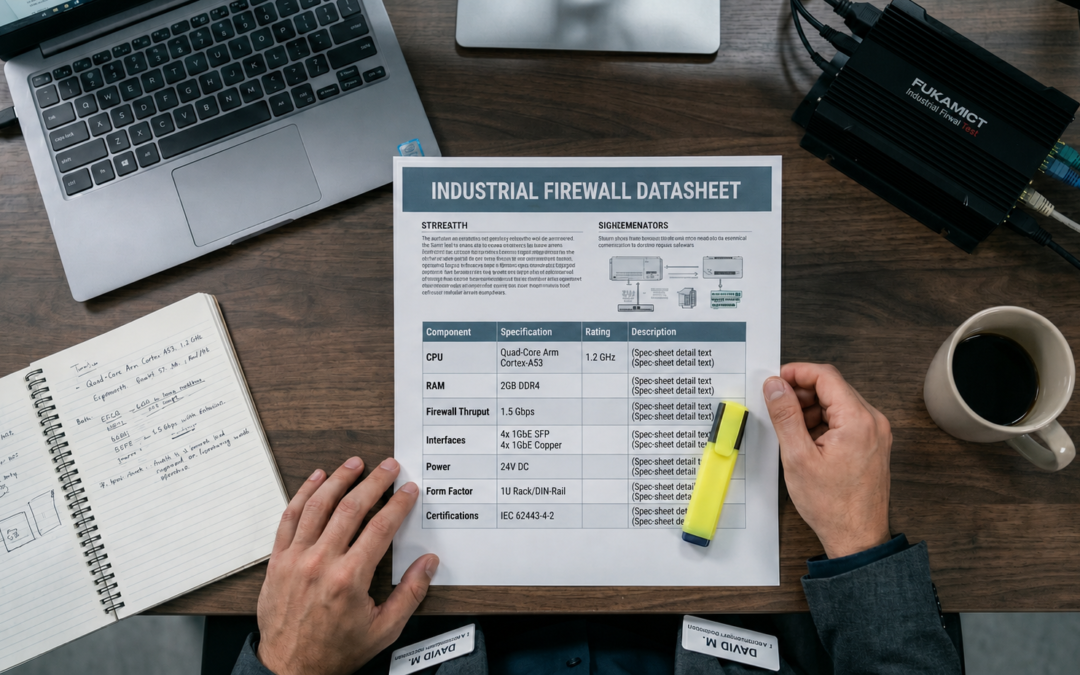
A firewall datasheet is a sales document dressed as an engineering document. Every number on it is true, and almost every number is also optimistic. For office IT that rarely matters. For an industrial buyer specifying a device that will sit in a substation, a mine shaft, or on a solar inverter skid for the next seven to ten years, misreading the datasheet is an expensive mistake that surfaces long after the purchase order is signed. This guide walks through what the headline figures actually mean, using a current rugged firewall datasheet as a worked example, so you can compare devices on the same basis rather than on the basis the vendor chose for you.
Why there are three throughput numbers, not one
The single most common procurement error is comparing one vendor’s “firewall throughput” against another vendor’s “threat protection throughput” and concluding one box is six times faster than the other. They are measuring different things. A modern next-generation firewall publishes a ladder of throughput figures, and each rung has more security features switched on than the one above it.
- Raw / IPv4 firewall throughput — simple packet forwarding with stateful firewalling only. This is the biggest, most flattering number. It tells you how fast the box moves traffic when it is doing almost no inspection.
- IPS throughput — with intrusion prevention running against a realistic “enterprise mix” of traffic, logging enabled.
- NGFW throughput — firewall plus IPS plus application control.
- Threat protection throughput — firewall, IPS, application control, and malware/antivirus inspection together. This is the number closest to how you will actually run the device, and it is the smallest.
The gap between top and bottom is large and entirely normal. On one mid-range rugged model in the worked example, raw firewall throughput is quoted at roughly 8 Gbps, while threat protection throughput on the same hardware is about 1.3 Gbps. Nothing is wrong with that device — inspecting content costs CPU, and inspecting it on a fanless industrial box costs more. The lesson is simply to compare like with like: decide which features you will actually enable, then compare every candidate at that same rung of the ladder.
Procurement rule of thumbSize against the threat-protection number, not the raw firewall number, and then add headroom. Vendor figures are measured in ideal lab conditions with specific packet sizes; real traffic with small packets, deep SSL inspection, and logging will land below the published figure. Specifying to 50–70% of the published threat-protection throughput is a sane starting point. |
The asterisks matter as much as the numbers
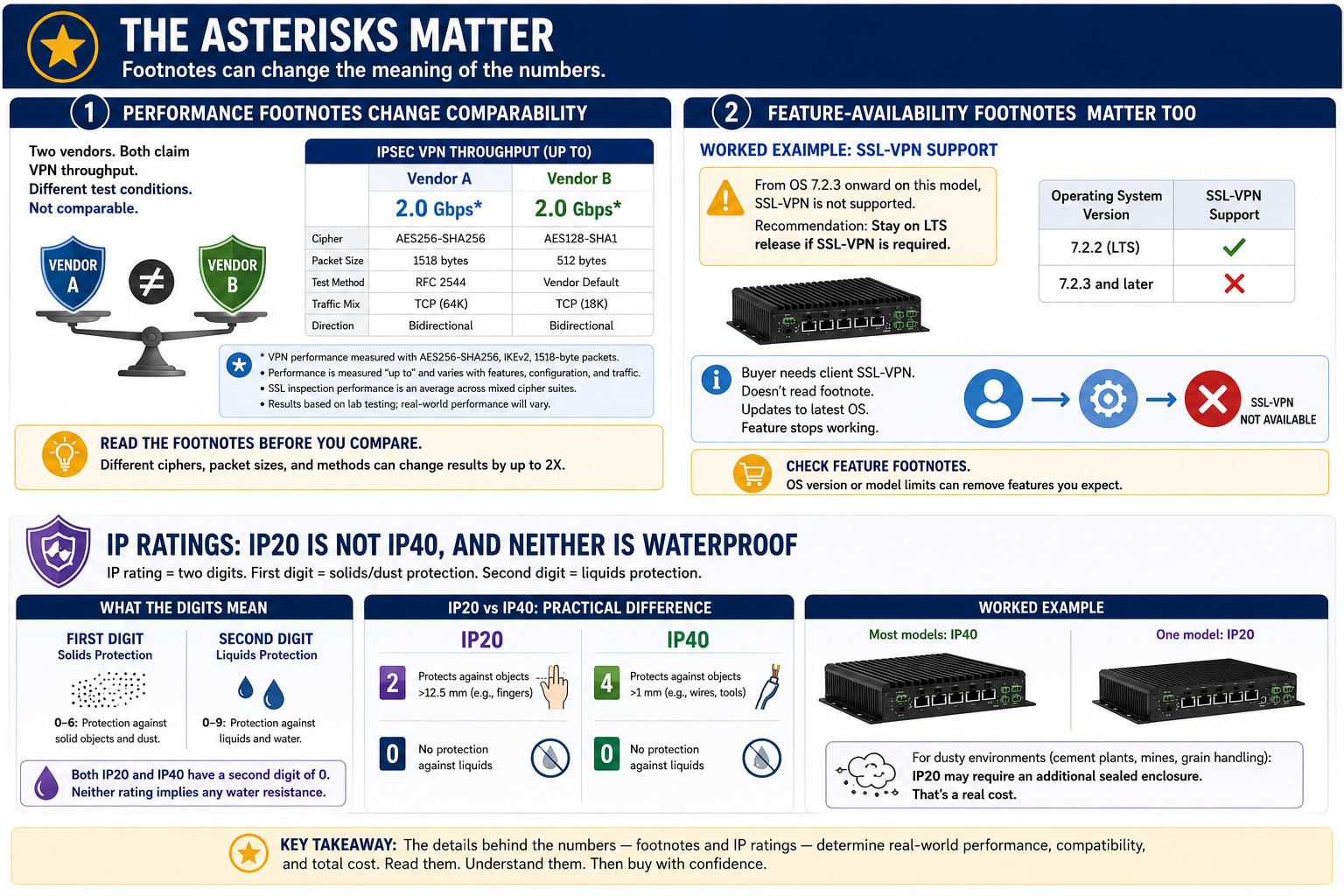
Every reputable datasheet carries footnotes, and on performance tables they are not decoration. Typical footnotes disclose that IPsec VPN figures use a particular cipher (often AES256-SHA256), that SSL inspection figures are an average across mixed cipher suites, and that all values are “up to” and vary with configuration. Read them before you compare. Two vendors quoting VPN throughput with different ciphers and packet sizes are not comparable, and the difference can be a factor of two.
Watch for feature-availability footnotes as well. In the worked example, the datasheet notes that the SSL-VPN feature is not supported from a certain operating-system version onward on some models, with a recommendation to stay on a long-term-support release to keep that capability. A buyer who needs client SSL-VPN and does not read that footnote can purchase hardware that will not do what they assumed once it is patched to the latest firmware.
IP ratings: IP20 is not IP40, and neither is waterproof
Ingress protection is quoted as two digits. The first is protection against solids and dust; the second is protection against liquids. In the worked example, most models carry IP40 while one carries IP20. The practical difference is real: IP4x keeps out objects and wires larger than one millimetre, while IP2x only keeps out fingers and larger objects. Neither rating implies any water resistance — the second digit is 0 in both cases. For dusty environments such as cement plants, mines, or grain handling, the gap between IP20 and IP40 decides whether you need an additional sealed enclosure, which is a meaningful line item.
| Rating | Solids | Liquids | Typical fit |
| IP20 | Fingers / large objects | None | Clean control rooms, cabinets |
| IP40 | Wires / >1 mm objects | None | Dusty plant floors, many OT sites |
| Higher (sealed box) | Dust-tight | Jets / immersion | Outdoor, washdown, field cabinets |
If a device you like is only IP40 but the site demands more, the answer is usually a sealed enclosure with thermal management rather than a different firewall — but that enclosure, and the heat it traps, must be budgeted and engineered, not assumed.
Temperature, power, and the fanless promise
Rugged devices advertise wide operating-temperature ranges — commonly −40°C to +75°C — and fanless designs. Both are genuine engineering features with procurement consequences. A fanless box has no moving parts to fail, which is the single biggest reliability win in a dusty or vibrating environment, but it also means heat is dissipated through the chassis, so mounting and airflow around the device matter. The datasheet’s heat-dissipation figure, quoted in BTU/h, feeds directly into cabinet thermal calculations. Wide DC input ranges (for example 12V to 125V DC with redundant dual inputs) are what let a single SKU drop into a 24V control panel or a 110V DC substation battery plant without a separate power supply — a detail that quietly reduces the bill of materials.
Certifications: which letters actually buy you something
Industrial certifications are not interchangeable, and the right ones are often mandatory rather than nice-to-have. The ones worth knowing on sight:
- IEC 61850-3 and IEEE 1613 — the electrical-substation standards. If you are deploying in or near power utility automation, these are frequently a hard requirement, not a preference.
- EN 50155 and the EN 50121 family — railway / rolling-stock standards covering shock, vibration, and electromagnetic compatibility on trains and trackside.
- IEC 60945 / DNV type approval — maritime suitability, relevant for ports, vessels, and offshore.
- EN 55032 Class A, FCC Part 15 Class A — electromagnetic emissions for industrial (not residential) environments.
- IEC 62368-1 — product safety for IT/AV equipment.
Two practical cautions. First, certification often varies by model and even by variant within a series, so confirm the exact SKU carries the standard you need rather than assuming the family does. Second, a certification listed as “in progress” or against a draft standard is not the same as a completed listing; if a compliance auditor will ask for it, you need the finished certificate on the specific part number.
A short pre-purchase checklist
- Confirm the throughput you need at the feature level you will actually run, with headroom — not the raw firewall figure.
- Read every performance footnote; normalise cipher, packet size, and “up to” caveats across vendors.
- Match the IP rating to the real environment; budget an enclosure if there is a gap.
- Check operating temperature, DC input range, and heat dissipation against the actual cabinet and power plant.
- Verify the exact SKU — not the series — holds every certification your industry mandates, with completed (not pending) listings.
- Confirm any feature you are counting on (VPN type, specific services) is supported on the firmware you intend to run.
Done well, datasheet reading is not about catching vendors out. It is about making sure that when three quotes land on your desk, you are comparing three devices on the same terms — the terms your site will impose, not the terms the brochure preferred.
Vays Infotech helps enterprises evaluate, deploy, and support firewall, network, and cybersecurity infrastructure across IT and industrial environments.
